
Frset
Mac toolkit with clipboard history, screenshots, OCR, translation and AI
About
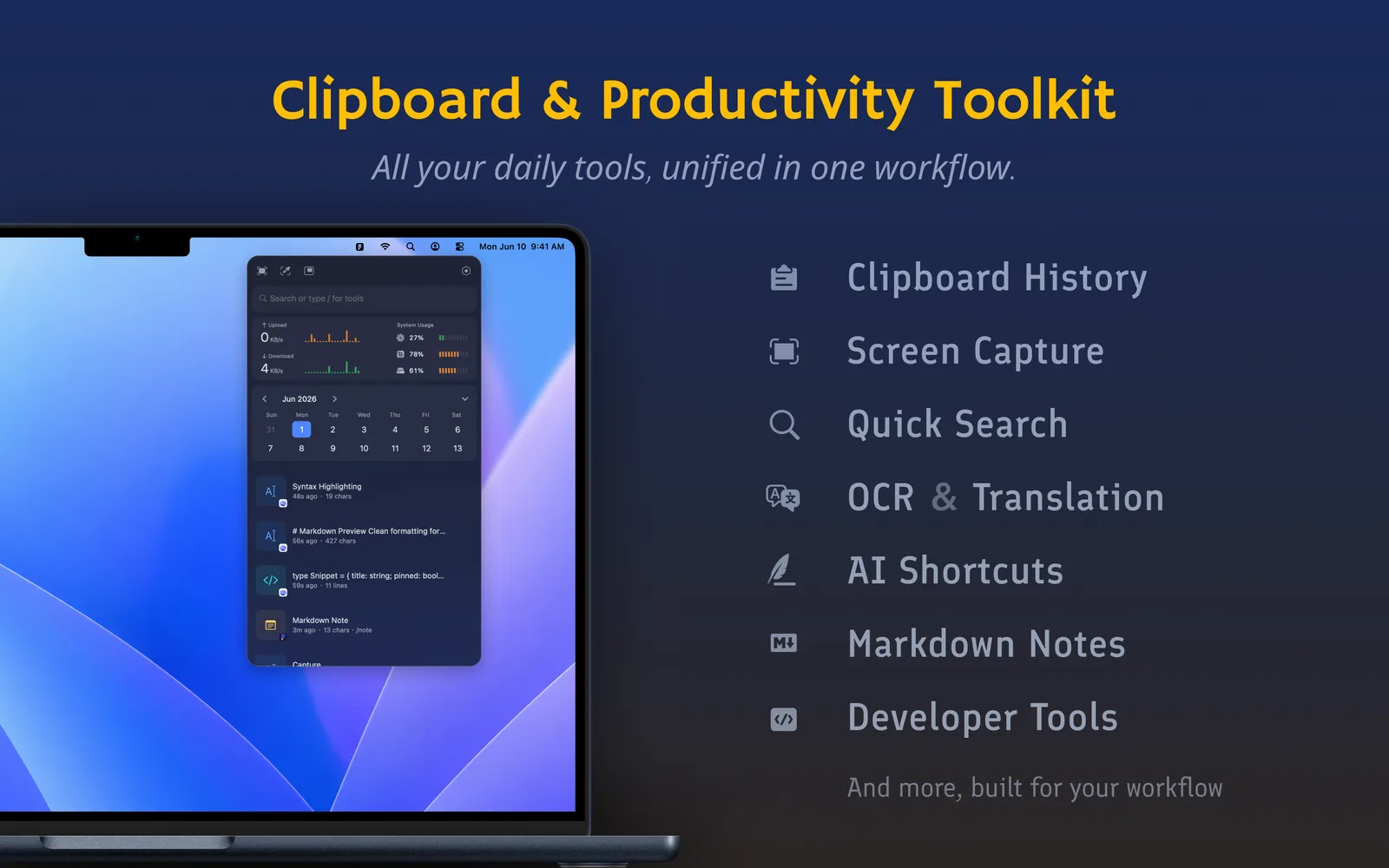
Frset is a macOS productivity toolkit that brings clipboard management, screenshots, translation, and more into one place. It reduces app switching and keeps your menu bar clean. Features connect naturally: capture a screenshot, save it to your clipboard history, run OCR, then translate or process the extracted text with AI—all in one workflow. Use Frset when you need it, then get back to work.
• SCREENSHOTS Region capture, smart window detection, rounded-corner screenshots, annotations, pinning, scrolling screenshots, color picker, OCR, and QR code recognition
• CLIPBOARD Markdown preview, syntax highlighting, JSON formatting, search and filters, tags, automatic OCR, and one-click AI summaries
• FLOATING CLIPBOARD Open near the cursor, keyboard navigation, quick paste
• TRANSLATION Translate selected text, screenshots, and typed text
• AI TOOLS Connect your own AI providers and create prompt-based tools for summarizing, translating, rewriting, and more
• MARKDOWN NOTES Quickly capture text, code, and ideas
• DEVELOPER TOOLS JSON formatting and minification, timestamp and date conversion, UUID generation, QR code generation, variable naming, TinyPNG image compression, Base64 and URL encoding/decoding
• QUICK WEB SEARCH Search with Google, Bing, GitHub, and more, with support for custom search engines
• SYSTEM MONITOR CPU, memory, disk usage, and network upload/download speeds
• CALENDAR View calendar events and open meeting links with one click
Comments
Sign in to commentNo comments yet. Be the first.